Tess AI provides an exclusive page where you can follow in real time the operational status of all our services.
What is the System Status page?
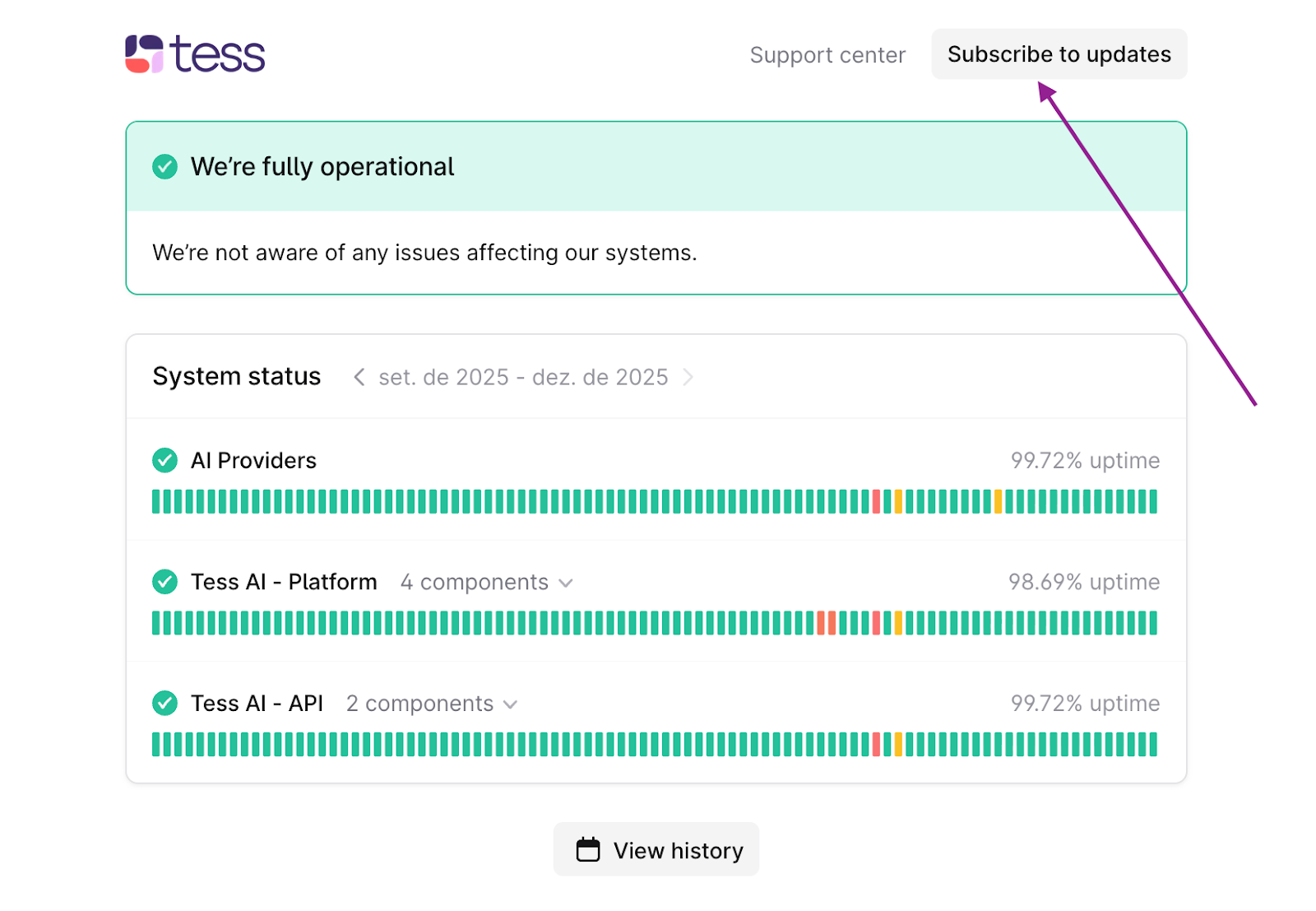
The "System Status" page is a centralized dashboard that shows the operational status of the Tess AI platform and the integrated APIs. If any instability or scheduled maintenance happens, this will be the first place to reflect that information.
How do I access the Status page?
1. Through the direct link
You can access the dashboard at any time at the following address: https://status.tessai.io/.
2. Through the Tess AI platform
You can also find the path to the status page inside your Tess AI account. Follow the steps below:
Go to the "Settings" screen in the platform’s left side menu.
In the settings menu, select the "Data Control" option.
Then click on "System Status".
How to receive updates about the status?
For your convenience, you can subscribe to receive automatic notifications about any changes in the status of our services.
On the status page, you’ll find an option to subscribe ("Subscribe to updates"). You can choose to receive all notifications or only those related to specific platform components that are most relevant to how you use it.
IMPORTANT TIP!
If the status page shows that all systems are operational but you’re still having issues, it might be a problem specific to your account or setup. In that case, don’t hesitate to contact us.
If you have any questions, our support team is available to help by email: support@tess.im.
