Remote Support is a feature that allows our team to access your account in a secure and temporary way.
We know that sometimes questions or specific situations come up that require a deeper analysis. Remote Support was created for those moments.
When you request it, you grant a temporary permission – valid for 72 hours – so that one of our specialists can access your account. This lets us see your settings, interactions, and the exact context of the issue, without you needing to share passwords or credentials. It’s a safe, practical, and efficient way for us to give you the help you need.
Unexpected behavior: When an agent or feature doesn’t behave the way you expect.
Configuration difficulties: If you need help setting up a more complex feature.
Issue analysis: So our team can dig deep into an error or difficulty that wasn’t solved with general guidance.
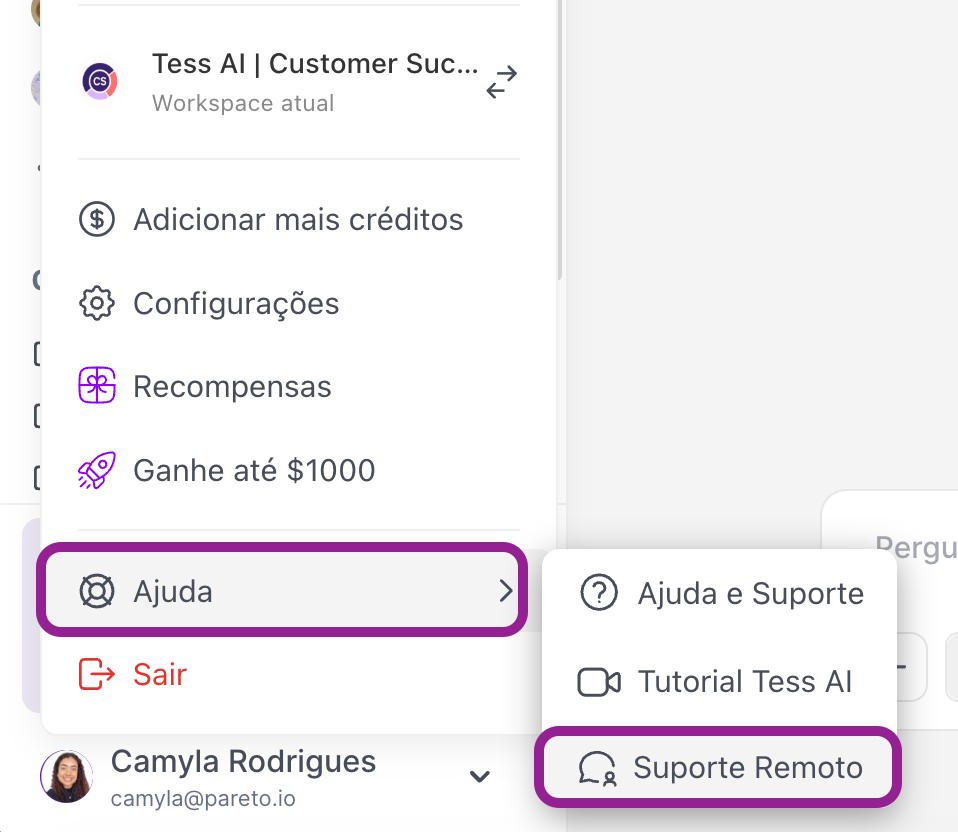
1. Go to your profile: Click on your username, located in the bottom left corner of the platform, to open the options menu.
2. In the Help option: Find and click on "Remote Support".
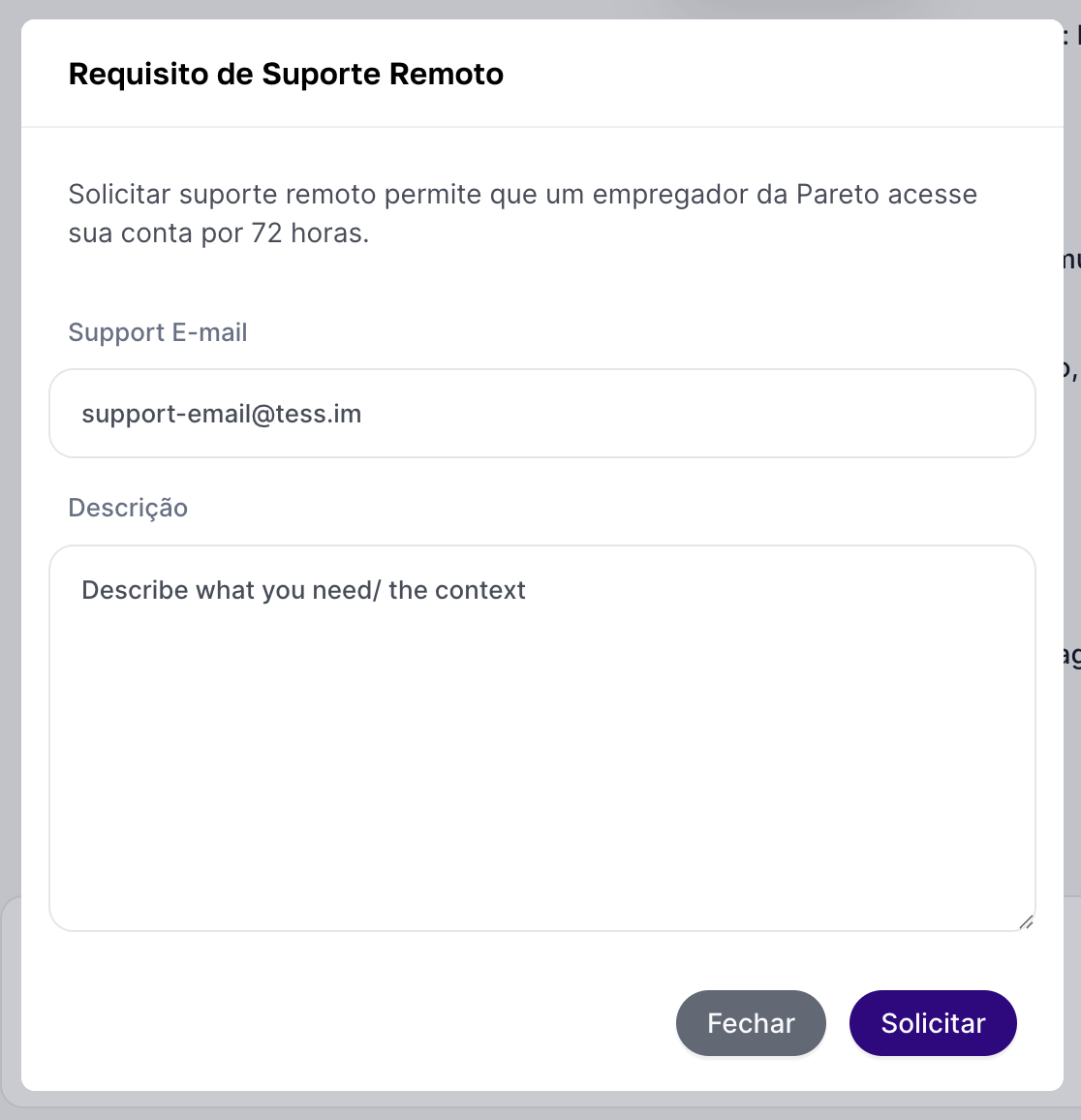
3. Fill out the form: A window will open with the fields to be filled in.
Support Team E-mail: Enter the email address of the Tess specialist who is in contact with you.
Description: Explain the reason for your request in detail. Give as much information and context as possible, as this will help us understand and solve your request faster.
4. Send the request: After filling in the fields, click the "Request" button.
All set! Our team will receive the notification and access will be granted automatically.
