The Creativity Level (also known as the “temperature scale”) is a setting that controls how much the AI can be more “bold” and creative in its answers, or more “objective” and consistent. This control is one of the simplest ways to improve the quality of the result depending on the type of task, and also to reduce the risk of hallucinations.
What actually changes in practice?
Think of the Creativity Level as a “freedom control” for the answer:
More Creative (higher temperature - creative/imaginative)
The AI has more freedom to:
suggest different alternatives
create variations, metaphors, and new approaches
explore possibilities and less obvious paths
Ideal for:
brainstorming (names, slogans, campaigns, ideas)
creative texts (scripts, storytelling, poems)
strategy exploration (various options and angles)
when you want a lot and a wide variety of ideas
More Objective (lower temperature - objective, systematic)
The AI tends to:
answer in a more direct way
keep consistency (less variation between answers)
reduce “inventiveness” and focus on what matters
Ideal for:
summaries, syntheses and translations
information extraction and checklists
support and service replies (standard and clarity)
data analysis and technical explanations
tasks that require precision and repeatability
How to adjust it in the chat
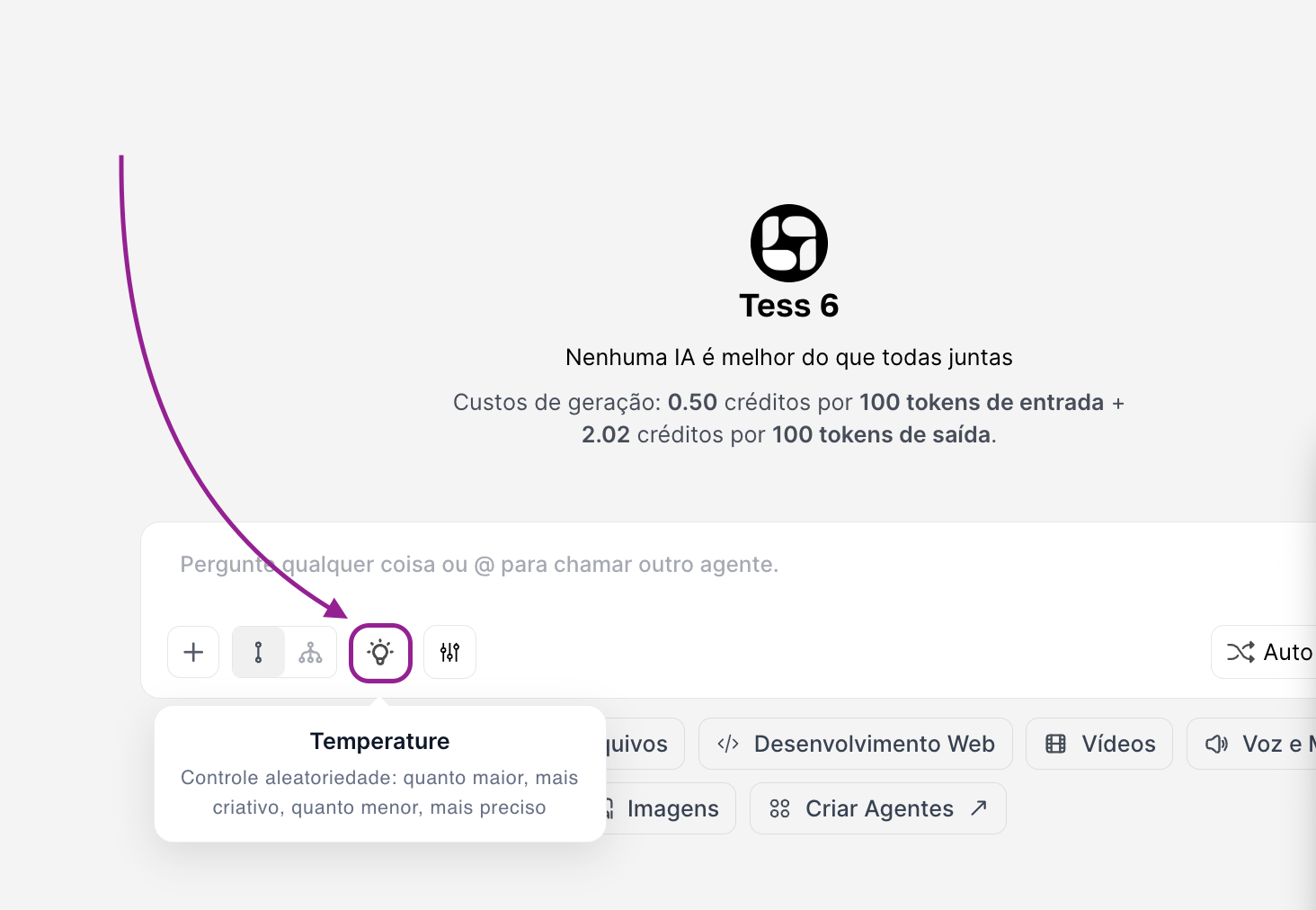
Inside Tess’s chat, you can adjust the Creativity Level to make the AI match what you need in that moment; you can change it with each reply or whenever you need/want to.
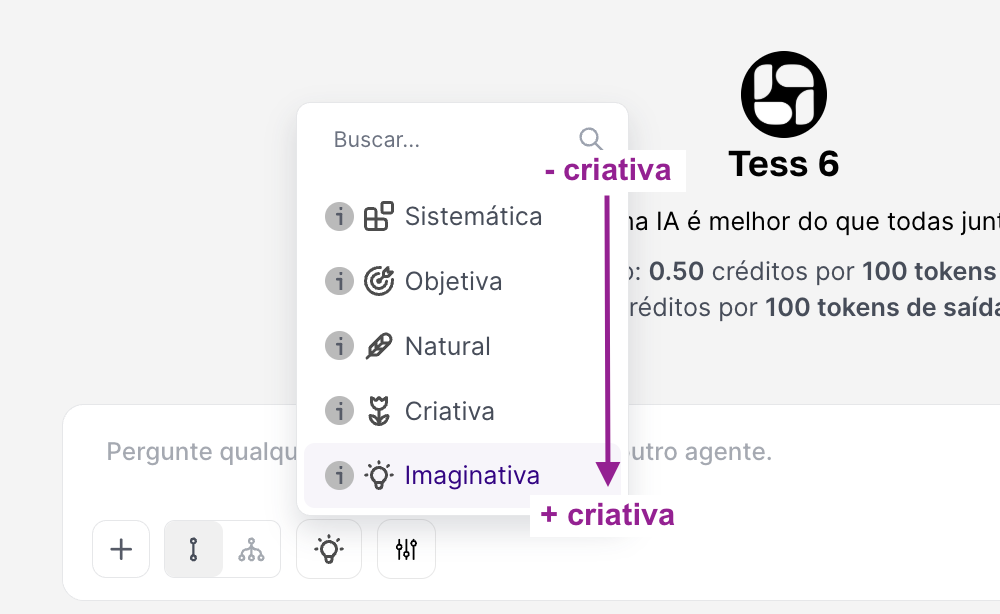
This control goes from less creative (systematic) to more creative (imaginative).
Why this adjustment matters
You adapt the AI to your goal. The same question can generate very different results depending on the chosen mode. More control, less rework, because when the temperature is aligned with the task, you reduce back and forth (“it got too creative” or “it got too rigid”).
Use More Objective when you ask:
“Summarize this report in 10 bullets, no opinion”
“List steps to reproduce the bug”
“Create a standard response for the client, with neutral tone”
“Extract the main points and risks”
Use More Creative when you ask for:
“Give me 20 names for this product”
“Create 5 variations of ad copy”
“Bring different approaches to solve this problem”
“Write a text with storytelling and metaphors”
Main questions:
Does temperature change the “model’s” content or just the style?
It changes the generation behavior: how much variation and creative risk the AI takes when responding. In practice, it affects both the style and the level of “exploration” in the answers.
Is higher temperature always better?
No. It’s great for ideation, but it can worsen accuracy and consistency for objective or operational tasks.
Can I change it in the middle of the chat?
Yes. It’s actually one of the best ways to work: explore with creative mode and mix it with objective mode, or the other way around.
If you have any questions, contact our support via email: support@tess.im.
