The Credits Wallet (AI Wallet) is the control center for your credits in Tess AI. It shows how much you still have available in the Workspace.
Where to find the Credits Wallet
The Wallet is visible in the upper right corner of Tess AI on the chat screen, or image/video generators, next to a yellow coin.
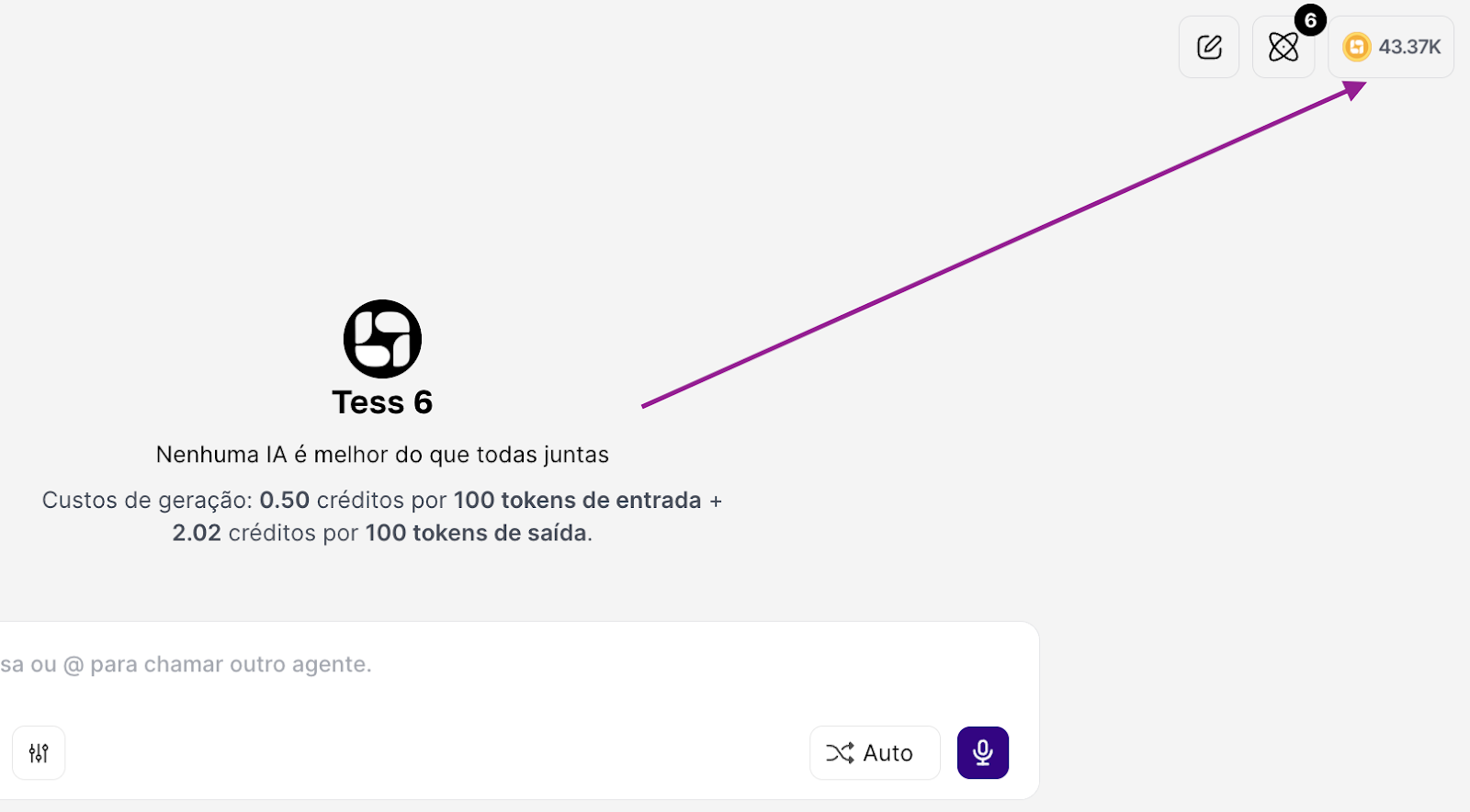
There you can see, in real time, the available credit balance for the workspace (it’s not per user, but at the overall Workspace level).
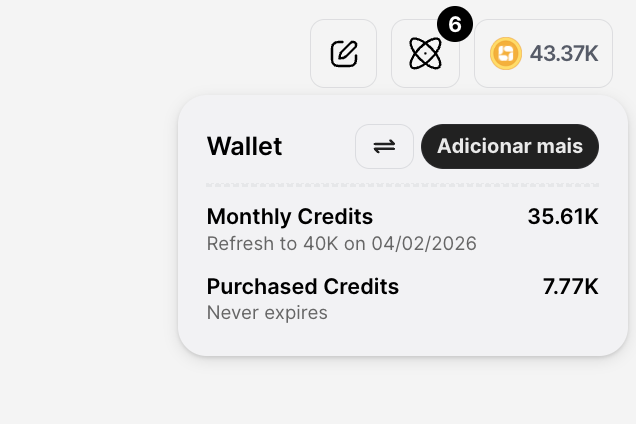
Credits that have a monthly refill (and expire) go into Monthly Credits. Credits purchased individually appear under “Purchased Credits”.
What credits are and how they work
Credits are Tess AI’s “currency”. Depending on the action you take in Tess, it may have a cost and the usage is deducted from this credits wallet, for example:
send messages in the chat
use Max Mode
process documents (one-time charge per document, meaning if you use the same one later it won’t be charged again)
attach files to the Knowledge Base
generate images, videos, music, narrations
use tools (Tools) like Deep Analysis, etc.
Behind this are the tokens:
Input tokens: everything you send to the AI and then what is sent as chat context
Output tokens: everything the AI generates as a response
The cost in credits is calculated based on the amount of tokens processed and the type of resource used.
The Credit Wallet, together with the Execution History, gives full transparency about how the AI is being used in your workspace.
You pay for the credits you use, with transparency and predictability — and you’re free to choose the model and configuration that make the most sense for each task. To understand exactly where your credits are being used, Tess offers the Execution History.
For any need, reach out to our team at: support@tess.im.
