Connect your agent to its own content library so it can be trained and answer based on specific materials – FAQs, policies, tutorials, and documents.
What is it?
The agent’s Knowledge Base is the set of documents, files, and texts that Tess adds to the systematic memory (system prompt) of that specific agent, being applied and taken into account in every execution of the agent.
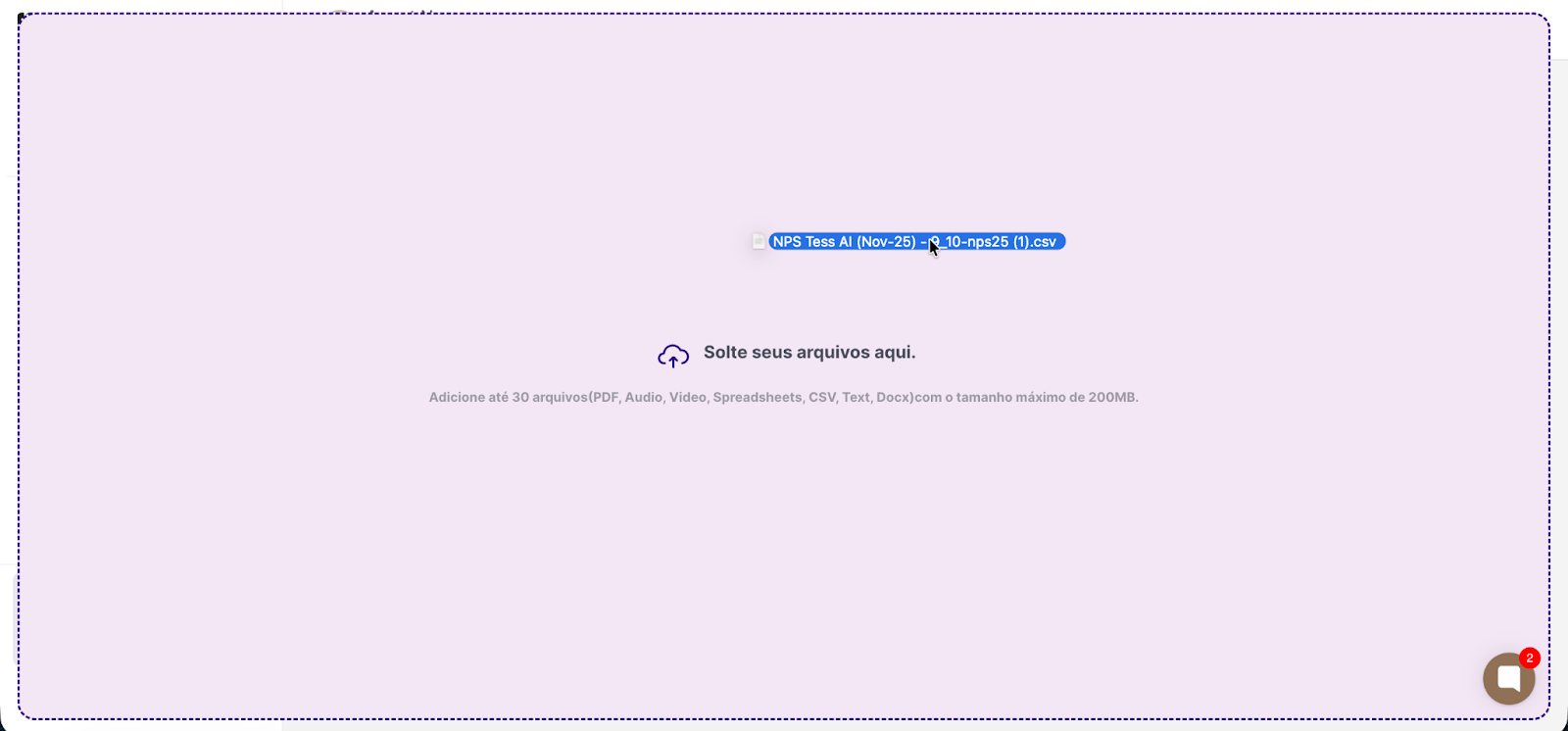
You can add up to 30 pieces of content per agent, for example: articles, PDFs and manuals, internal policies, tutorials, playbooks, and spreadsheets. With sizes up to 200Mb per file.
This content is used by the agent to help analyze questions and generate answers, together with the prompt and the other settings.
Why is it important?
Consistency: the agent always responds in line with the official documentation.
Less “guessing”: reduces hallucinations and out-of-context answers.
Agent-level customization: each agent can have a different base (Support, Finance, Onboarding, etc.).
Simple update: just replace a file or text in the Knowledge Base for the agent to get updated.
Essential feature when you want the agent to draw inspiration from existing templates to generate its output.
How does it work in practice?
When the user asks a question, Tess:
Analyzes the question.
Searches in the agent’s Knowledge Base content for relevant snippets.
Uses these snippets as context to generate the answer.
If the question isn’t related to what’s in the base, the agent can follow the general prompt or the policies you set.
How to add a base to an agent?
1) Open Agent Studio
2) Go to the Agents area and choose the desired agent.
3) Click the Knowledge Base button and choose the files
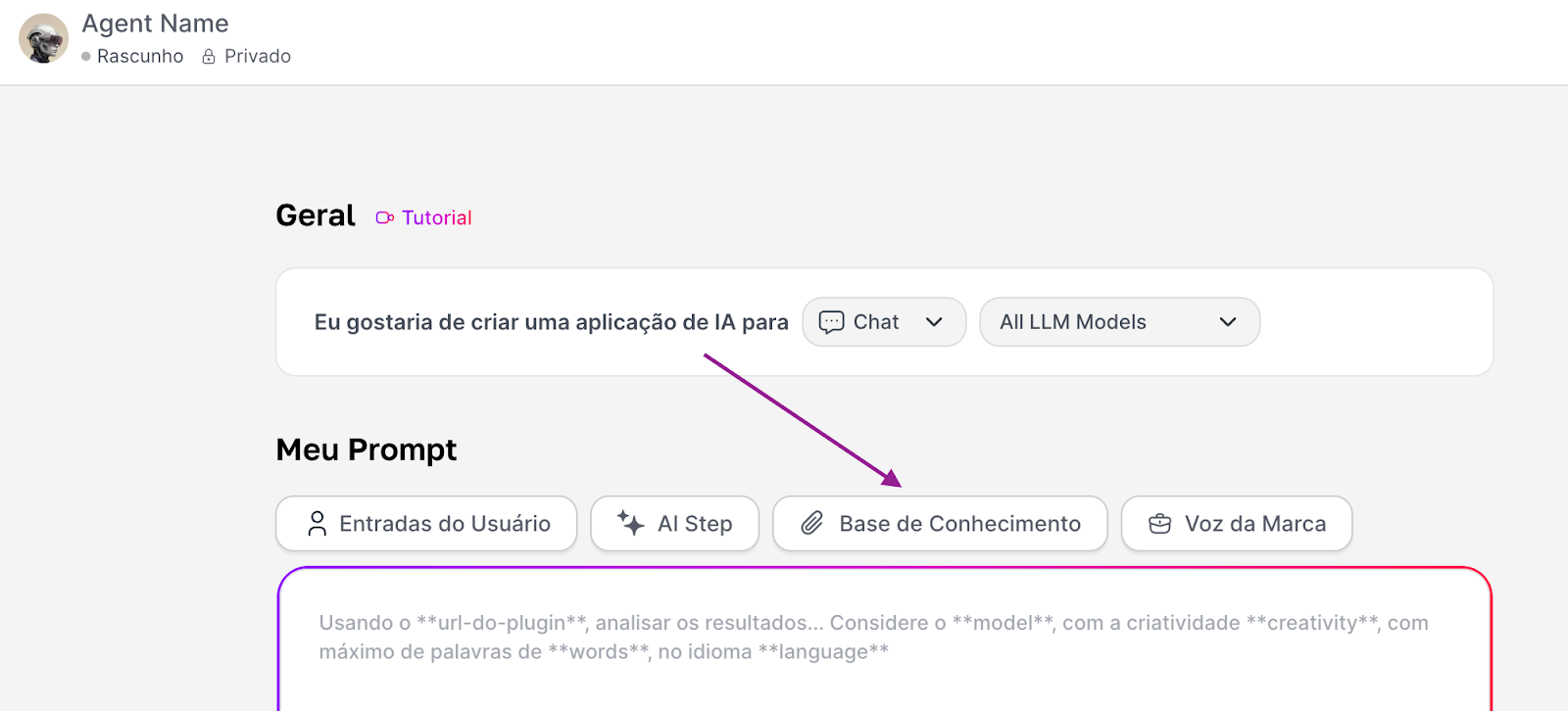
4) Or drag them straight from your computer to the agent.
5) Save and test
Best practices
Start with the most frequent questions (support, financial, onboarding FAQ).
Prefer content that is clear, straightforward, and well organized.
Update the Knowledge Base whenever there’s a change in policy or process.
Use different bases for agents with different roles (e.g.: one agent only for financial, another only for technical support).
