What is it?
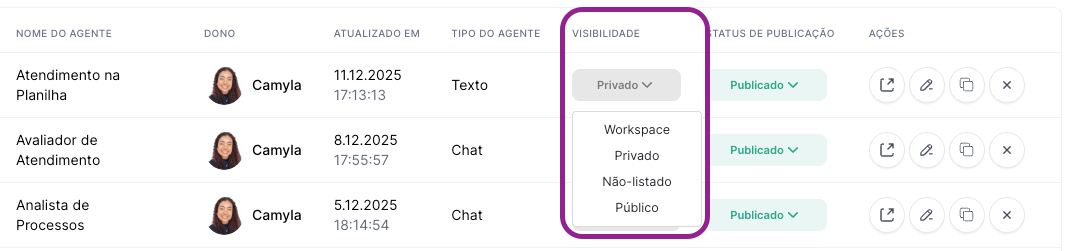
Visibility defines the privacy level of the agent created in Agent Studio.
You can choose between the following levels:
Workspace: available only to members of your workspace.
Private: visible only to you (and, if any, authorized workspace admins).
Public: available to the entire Tess user community and listed in the Marketplace.
Unlisted: doesn’t appear in the Marketplace, but anyone who gets the link can access it.
Why is it important?
Security and confidentiality: agents with sensitive data must be private or limited to the workspace.
Controlled sharing: experimental agents can be unlisted, accessible only via link.
Distribution and community: mature agents can be made public and shared with the entire Tess base.
Understanding the visibility levels in detail
Workspace: all workspace members can access the agent. It’s great for agents created by company members so other coworkers can use them.
Private: only the creator of the agent can see it. Used for draft agents, tests, or personal agents.
Public: in this case, any Tess user can find and use the agent, and it will be available and listed in the Marketplace. These are used for agents that are ready to be reused by others (more generic and broad), marketplace templates, showcases, etc.
Unlisted: they can’t be found in the Marketplace and only people with the direct link can open them. Used when you want to share with specific clients, partners, or in beta phases for testing by other people.
How to adjust agent visibility
When creating the Agent, you can set the visibility inside the Agent Studio by selecting the option you prefer. The agent will be created with that setting.
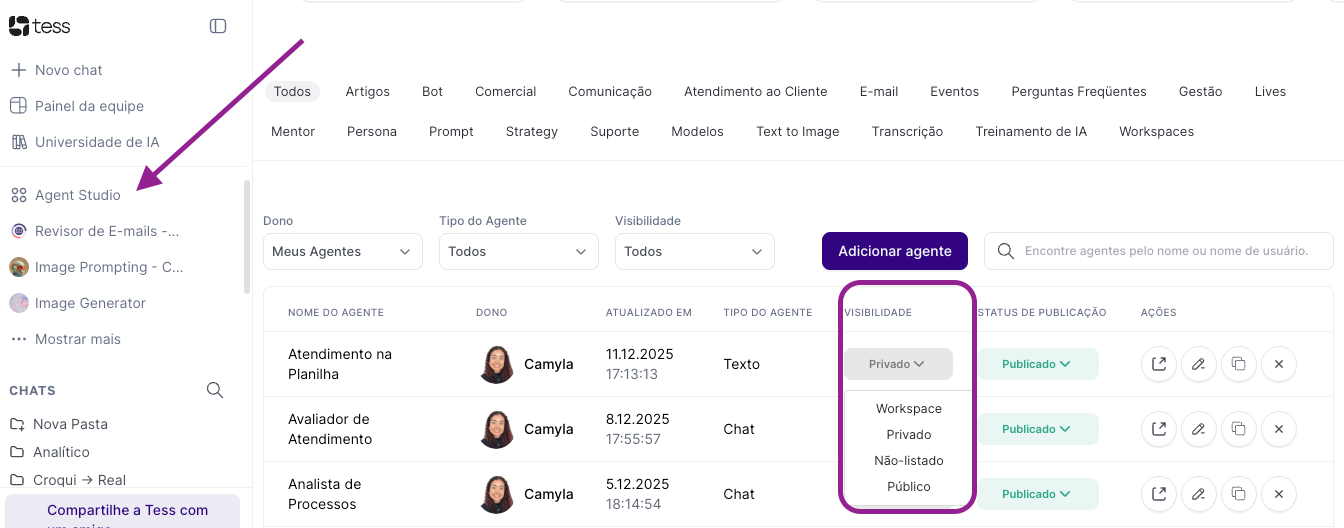
Besides that, you can always adjust the visibility level in Agent Studio:
Open Agent Studio
Find the agent you want to configure. You can use the search field, type, visibility, or owner.
Check the Visibility column
Choose the level you want

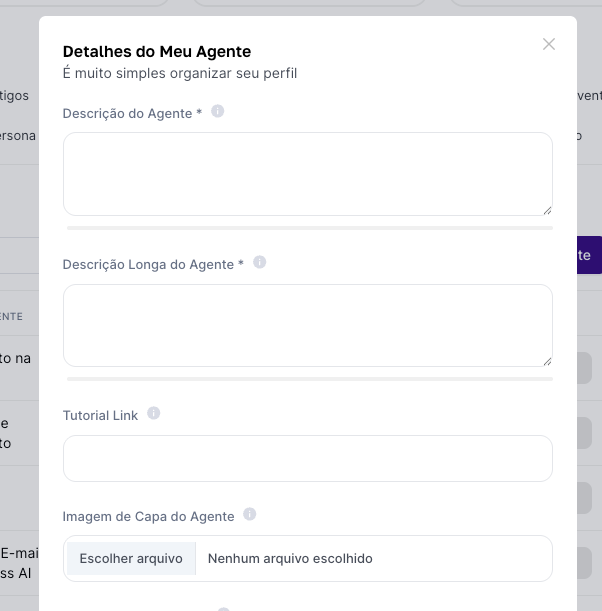
Detailed Agent information (to make it public)
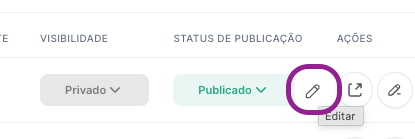
To access it, just hover next to the status and click the pencil icon.
With this, you’ll access the agent’s detailed settings:
Best practices
Start with the agent as Private during the testing phase.
When it’s mature, switch to Workspace so the whole team can use it.
Only make Public what you really want to share with the community, with no sensitive data.
Use Unlisted for pilots with selected customers, without exposing it in the Marketplace.
