Our platform lets you monetize Agents in three ways: direct sale, earnings per execution, and workspace subscriptions.

1. Agent Sale
After the agent is created, tested, and ready, go back to the Agent Studio, find it, and in the agent’s detailed settings enable Prompt sale:
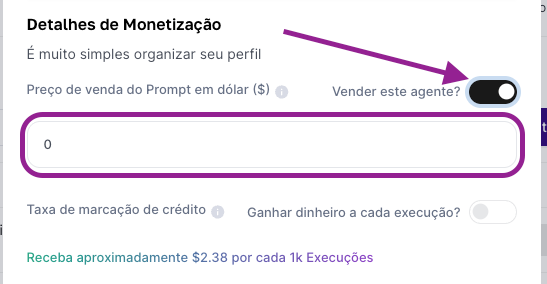
Then just set the sale price (in dollars) and save. In this case, people who buy your agent get access to the prompt and can clone the Agent to continue with whatever customizations they want.
On the same Monetization Settings screen for the agent, turn on the Markup option to earn credits on every execution.
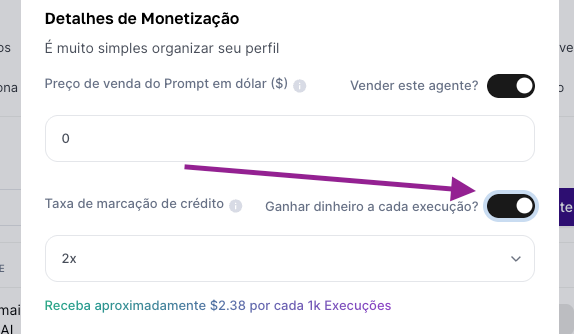
In this process, you’ll be setting up a "Credit Multiplier"
The multiplier affects your earnings and the cost for users
Higher multiplier = more earnings, but using the Agent is more expensive
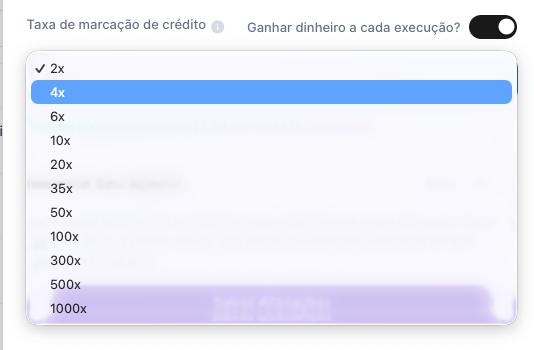
After setting it, just save the configuration. This way, you get paid whenever subscriber users run your Agents.
Note: the same agent can be monetized in different ways, so there’s no problem if you want to enable both direct sales and the multiplier.
The setup process happens in the Team Dashboard tab in the left side menu, under "Workspace Settings":
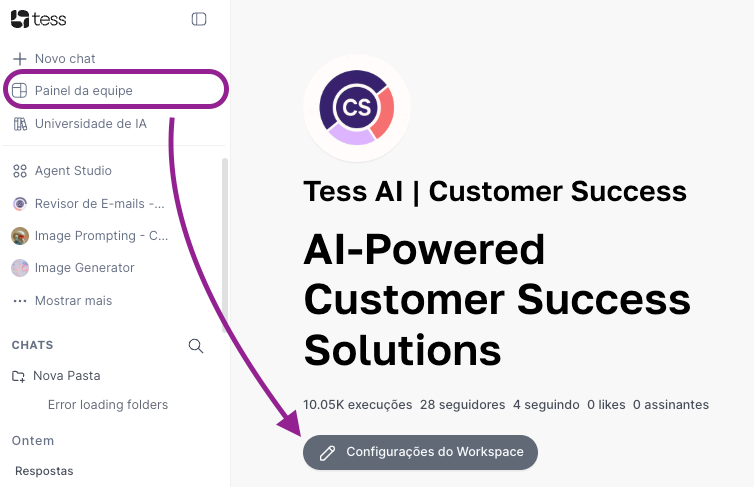
Click the option and enable "Profile Subscriptions" and set the subscription price (the amount shown is in US Dollars - US$)
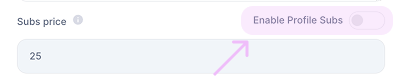
Benefit: Subscribers have access to the prompts of all Agents opened in your Workspace.
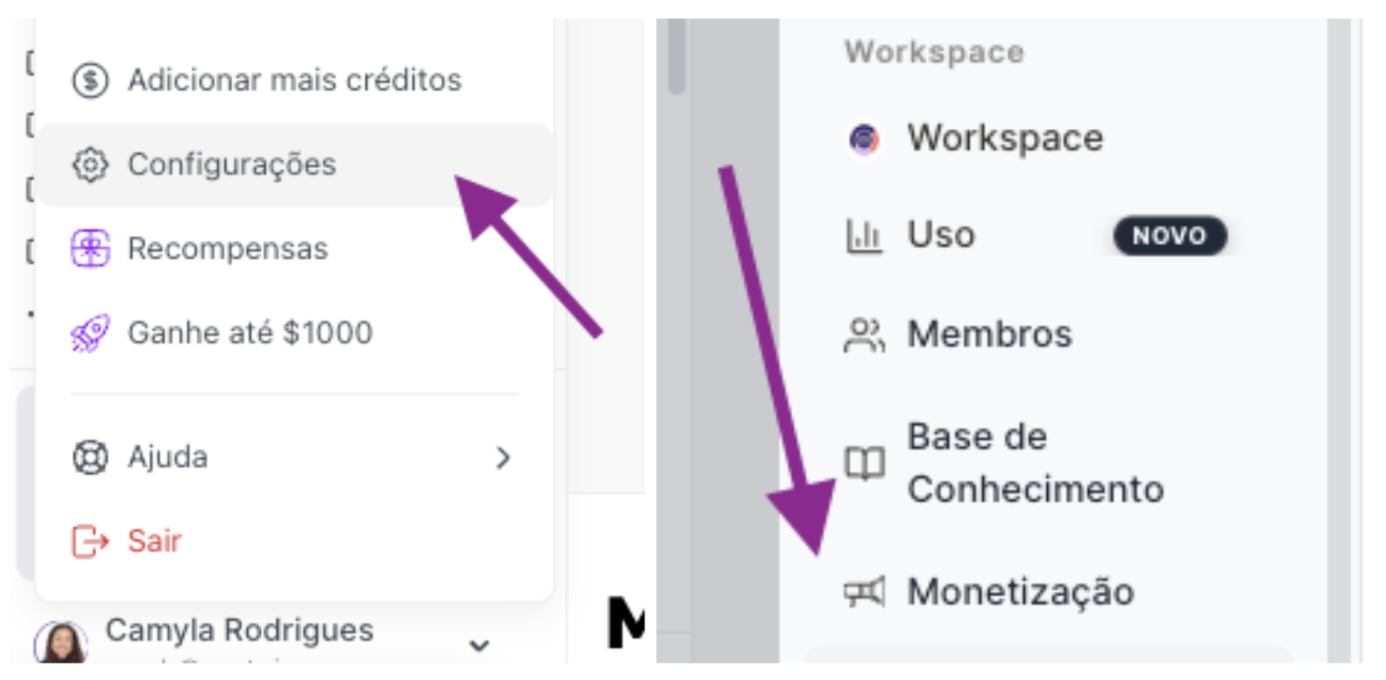
Go to the settings menu and "Monetization"
View the dashboard with earnings broken down by:
Minimum amount: $1,000 USD
Payment method: PayPal
Processing: Automatic after reaching the minimum amount
