
API Tokens are access keys that allow external applications and services to communicate with Tess AI securely, making it possible to create custom integrations and automations.
How to access the API Tokens area
Log in to your Tess AI account.
Click on your profile icon, located in the bottom-left corner of the screen.
In the menu that opens, select the "Settings" option.
Find the "API Token" option.
Available Actions
On this screen, you can do two main things:
Generate a New Token: When you click this option, a new unique token will be created. You can name it to make it easier to identify where it’s being used.
Manage Active Tokens: You’ll see a list of all tokens that have already been generated. For each token, you can only view it right when it’s created, so you can’t see the key again later to copy its value. In this case, you can delete it, check who created it, and see when it was last used!
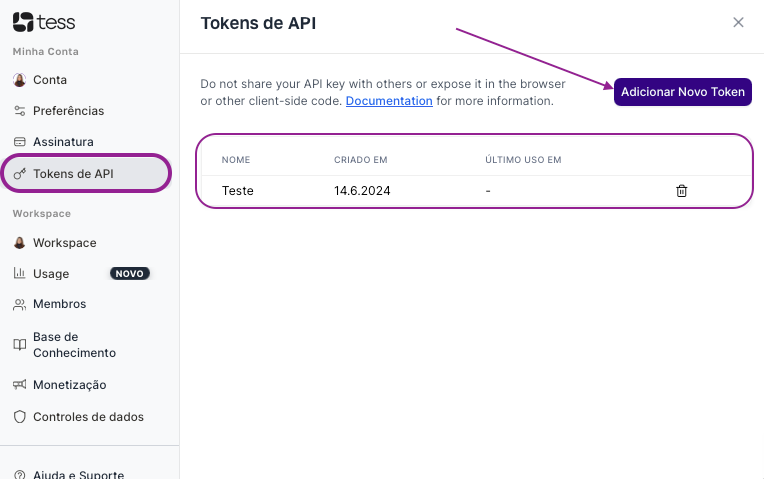

An API Token allows access to your Tess AI account through other applications. Never share your tokens publicly or expose them in front-end code (accessible via the browser). If a token is compromised, revoke it immediately and generate a new one.
If you have any questions about using the API, our support team is available to help via email: support@tess.im.