The Knowledge Base in Settings is the “central bank” of all files sent to Tess AI: uploads made in chats, agents, flows, and other areas of the workspace.
Here you can see who uploaded what, when, how many credits it consumes, and where each file is being used.
How do I access it?
Click the user icon in the bottom-left corner
Go to Settings
Click on Knowledge Base
You’ll be redirected to the Base page, with the full list of files.
What is this Base about?
It’s the workspace’s global file repository (images, PDFs, docs, etc.) sent to Tess. It’s not the same thing as the Agent Studio Knowledge Base (which is the content base linked to a specific agent) or the Chat one (linked to that context window).
Here you can see all uploads, regardless of which agent or chat used the file.
On the panel, we see a table-like structure with:
File name
Type (e.g.: Image, PDF, Document)
Created by (who uploaded it)
Created on (date and time)
File size
Credits (when there’s associated usage)
Links (where the file was included – for example: “Tess 6”, the name of the agent or the chat)
Filters and search
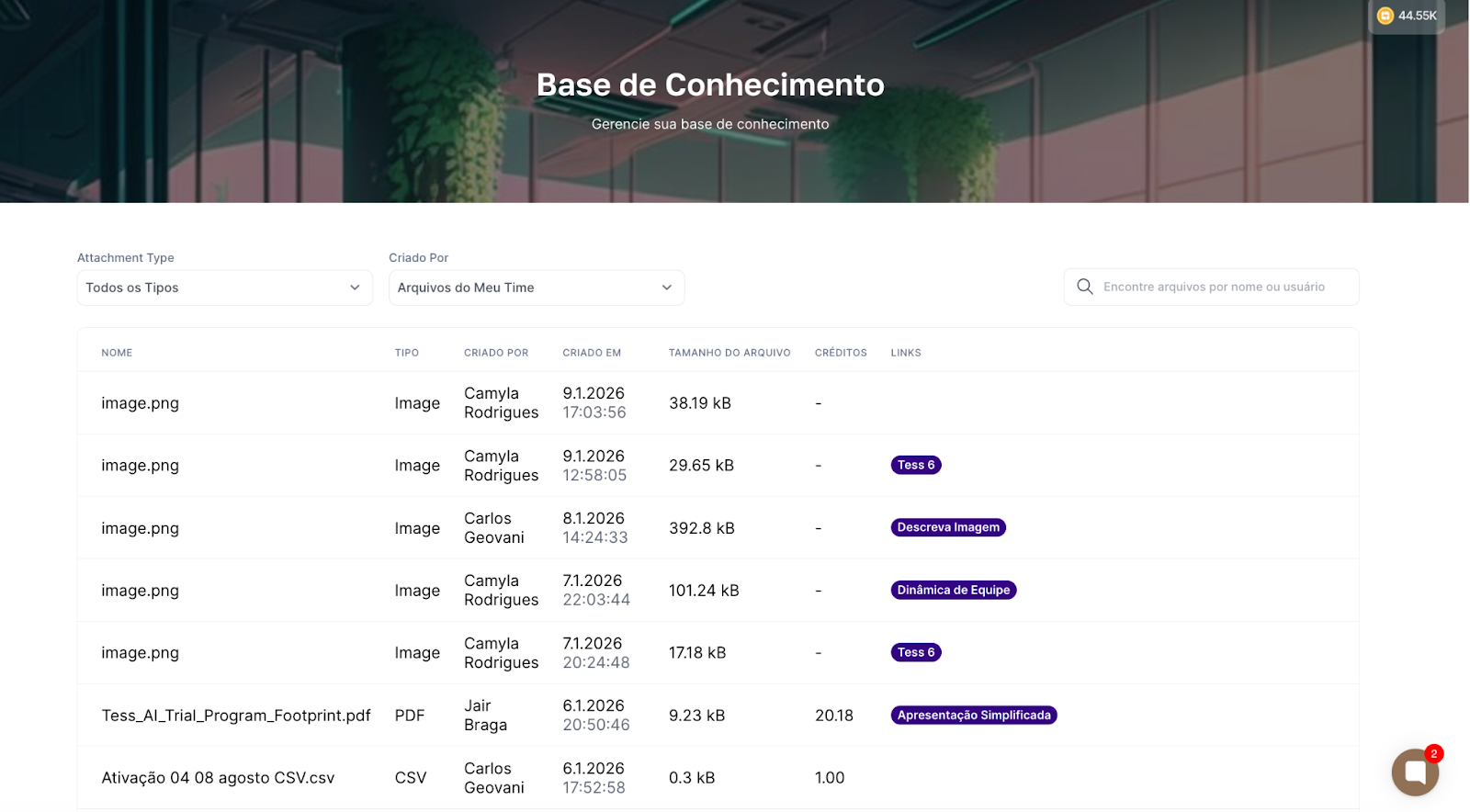
At the top, you can:
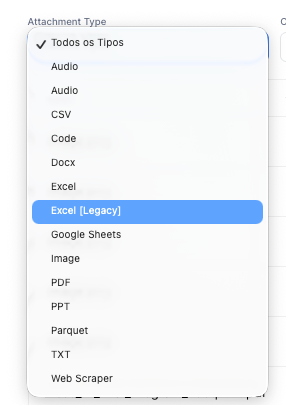
Filter by attachment type (Attachment Type):
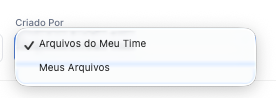
Filter by creator (Created By):
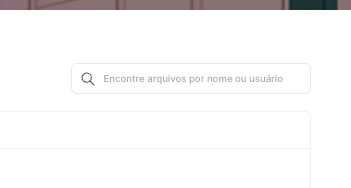
Search by file name or user, ideal to quickly find specific files.
Permissions (who sees what)
Managers and Owners: Can see the files of the whole team in the workspace. They see associated credits and in which chats/agents the files were used. It’s ideal for governance, cost, and information security.
Other users: Can only see their own files, the credits, and associated chats.
What it’s used for in practice
Data governance:
Know which files are circulating in Tess, who uploaded them, and where they are being used.
Cost management:
Understand which types of files and flows consume the most credits.
Security and compliance:
Lets you check whether there are any inappropriate sensitive documents being used in agents or chats.
Organization:
Makes it easier to find and reuse materials already sent (manuals, presentations, images, etc.).
