Tess AI offers a complete dashboard so you can closely track the performance of your monetization strategies. Knowing how and where to view your earnings is essential to understand your performance and plan your next steps.
Accessing your Monetization Dashboard
To view your financial information on the platform, the path is simple and quick.
Step by step:
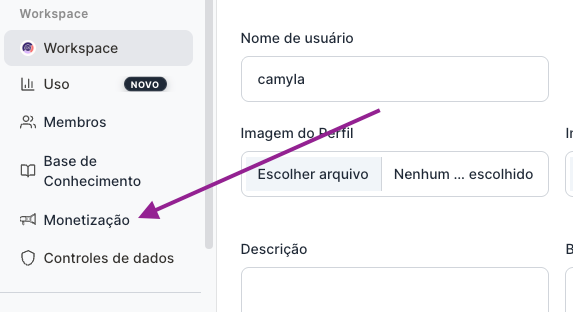
Click on your profile icon, located in the bottom left corner of the screen.
Now go to the Settings option
In the menu that opens, select the "Monetization" option.
Understanding your Income Sources
When you access the monetization area, you’ll find a detailed dashboard with your earnings organized by category:
Subscriptions: Revenue generated from users who subscribe to your Workspace.
Agent sales: Earnings from the direct sale of your agents.
Runs (executions): Amount accumulated from runs of your agents by other users.
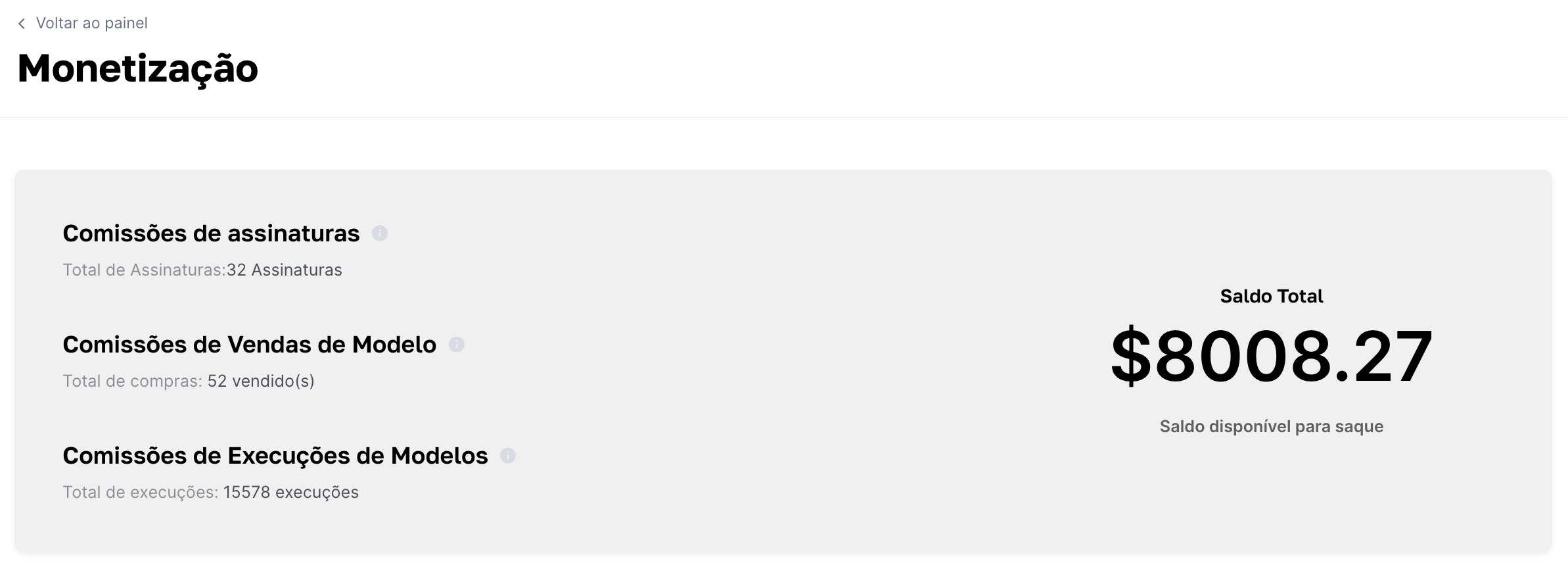
This dashboard gives you a clear, consolidated view of your performance, so you can see which strategies are bringing the best results.
Payout information
To ensure security and convenience for our creators, we’ve set a few guidelines for withdrawing your earnings.
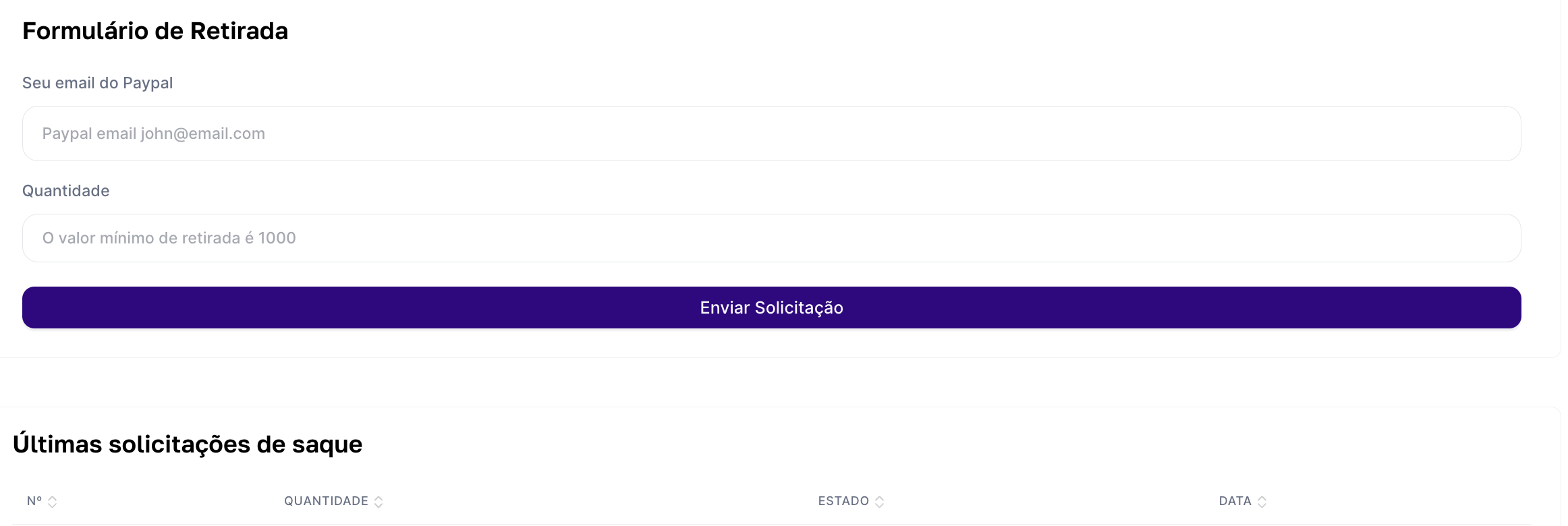
Minimum amount to withdraw: You’ll be able to cash out as soon as you reach a minimum balance of $1,000.00 (one thousand dollars).
Payment method: All payments are processed exclusively via PayPal.
Monitoring your earnings regularly not only helps validate your strategies, but also helps you plan when you’ll be able to make your next withdrawal.
If any questions come up, just reach out to our support team by email: support@tess.im.
