Max Mode was created for when you need to expand the context window to the maximum capacity of AIs for long, dense, or complex tasks. It’s an advanced feature that lets you get the most out of the chosen model, increasing the context and processing capacity for that specific interaction or a set of interactions.
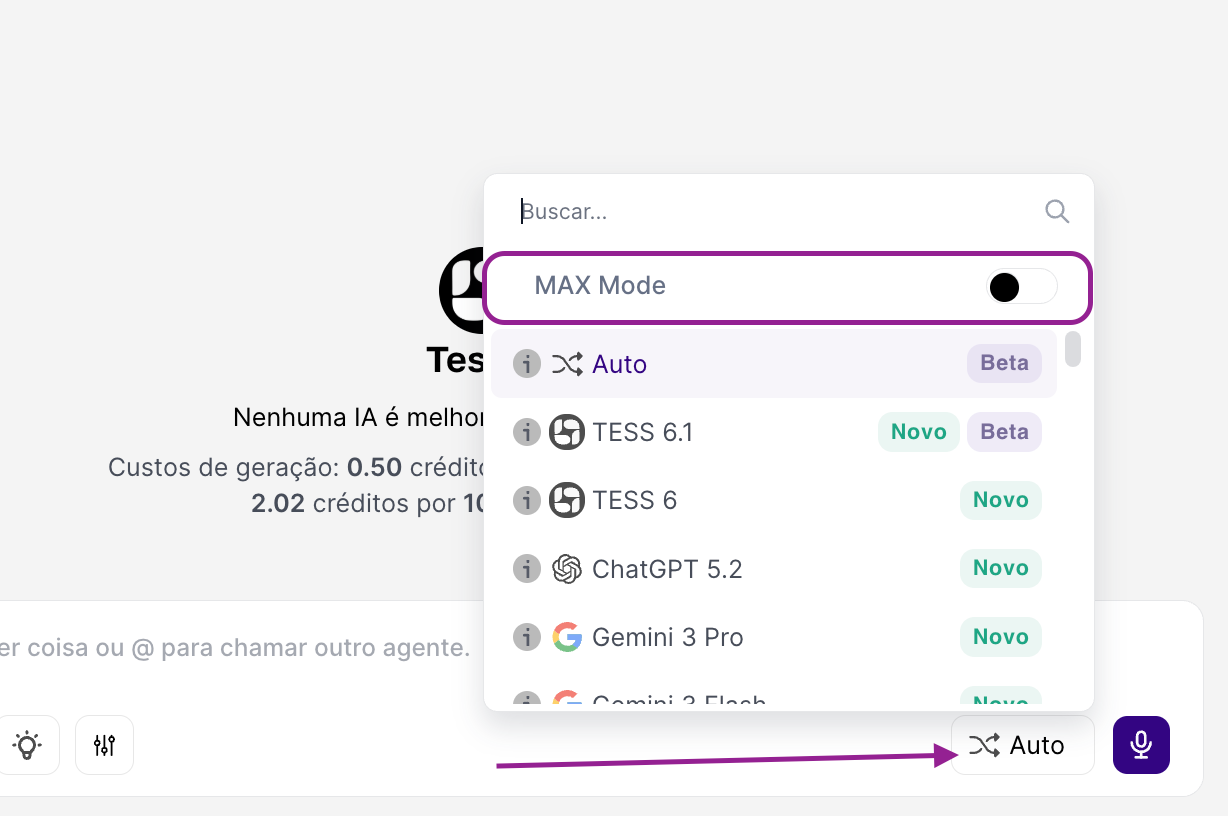
What is Max Mode?
Think of Max Mode as the “sport mode” of a car: it prioritizes power and depth, even if it costs more.
As a rule, Tess uses a context window of 32,000 tokens (~24,000 words). In practice, when you turn on Max Mode, the AI starts using the largest context window available for the chosen model.
The context window is like the model’s “short-term memory.” With Max Mode, the AI’s performance won’t be affected in long conversations and large pieces of content, reducing the chance of hallucination or forgetting information in big projects.
When you turn on the tool, you get:
More context: the AI considers more information from the conversation and the attached materials.
More consistency: improves tasks that require continuity (decisions, rules, characters, criteria, code).
More depth: increases the ability to analyze and summarize large texts.
When to use Max Mode (ideal cases)?
Long document analysis: Use it when you're working with long PDFs (reports, manuals, proposals), complex contracts, documents with lots of details, attachments, or sections. This way, you’ll be able to improve retention and cross-referencing of information throughout the chat.
Code and debugging: In this case, it’s ideal when there are multiple files, snippets, and dependencies, or you’re fixing bugs with accumulated context, or you need to keep the project’s architecture and style consistent.
Long and consistent content: Use it when writing book chapters, long scripts, theses, dense articles, or training materials. This way, you’ll get more consistent concepts, style, and structure across many pages.
When NOT to use it?
For quick, everyday tasks, in this case, the default mode is usually better, after all, we’re talking about simple questions, short emails, brief summaries, quick text tweaks, operational support replies, and so on.
Attention: cost and performance (important)
Maximum power comes with higher consumption. In other words, when using Max Mode, keep in mind that:
credit consumption tends to be higher
the response may take a bit longer, since the AI needs to reprocess more context with each message
So use Max Mode strategically: turn it on when you need depth/continuity and turn it off when you go back to simple tasks.
