We’ve made the process of publishing your site on the web simpler and faster than ever. With the new direct publishing feature, you can create your Tess Page (whether it’s a landing page, a form, or a presentation) directly from your chat, without needing modules or advanced resources for that.
Tess AI is excited to announce Tess Page, or Instant Cloud, your one-command publishing solution.
What is Instant Cloud?
Instant Cloud is the tool that turns your files into active, accessible web pages, which we call Tess Pages. With a simple command, you can host your documents directly on Tess AI’s infrastructure, generating a public link to share with whoever you want.
It’s the fastest and easiest way to put your content online, with no technical knowledge required. The complexity of hosting a website has been reduced to a simple request.
What can I publish?
The possibilities are huge. You can use Instant Cloud to publish:
Landing Pages: Create your page’s HTML and publish it instantly.
Interactive Presentations: Share slides from a project or a class.
Survey or Sign-up Forms: Make forms available to your audience.
Portfolios and Simple Sites: Create a static website and put it online in seconds.
How It Works: A Step-by-Step Guide
The workflow is incredibly straightforward. Just follow these three steps:
Have the HTML File in the Chat
The first step is to have your .html file ready and available in the context of the conversation. You can do this in two ways:
Creating the file on the fly: Use the Manage Files tool to write a website’s HTML code directly in the chat.
Uploading an existing file: Upload your ready HTML file when using one of the tools that allow attachments, like Manage Files or Deep Analysis.
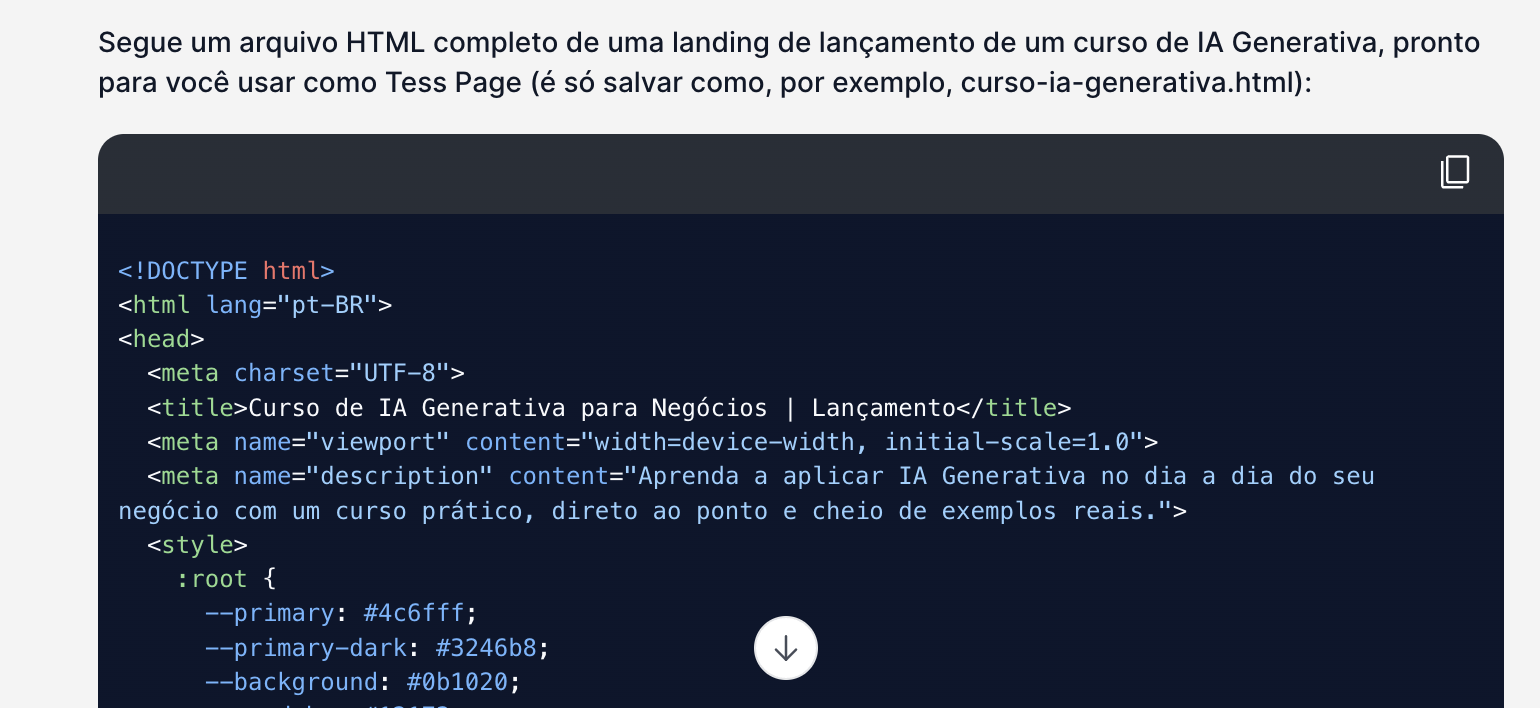
Activate the Tool
In the "Tools" menu, select the "Manage Files" or "Deep Analysis” option.
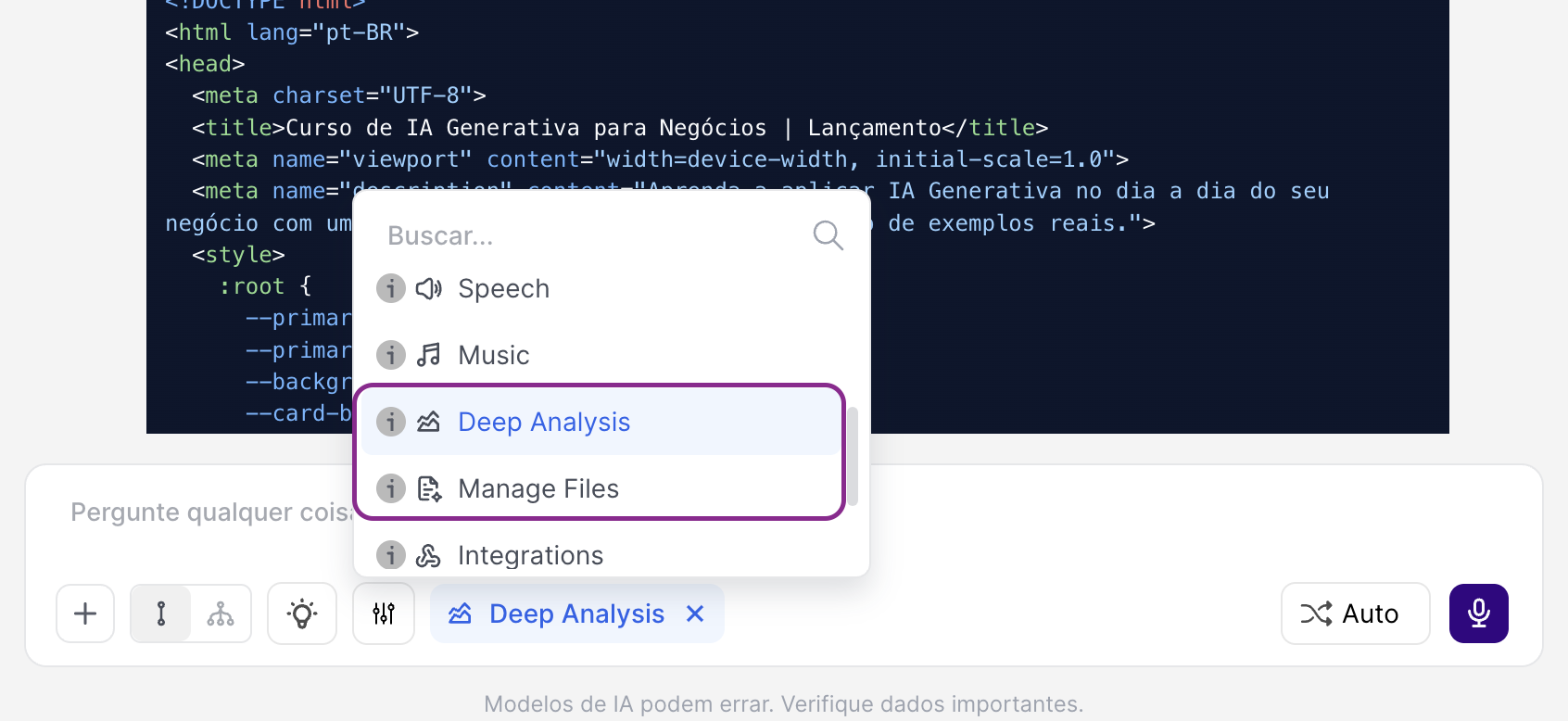
Ask for the Publication:
With the file available in the chat, just give the AI a clear command. No complex settings needed. Just ask.
Command Examples:
“Publish this HTML file as a website.”
“Create a Tess Page with the file meu-site.html.”
“I want to publish this site. Generate the link for me.”
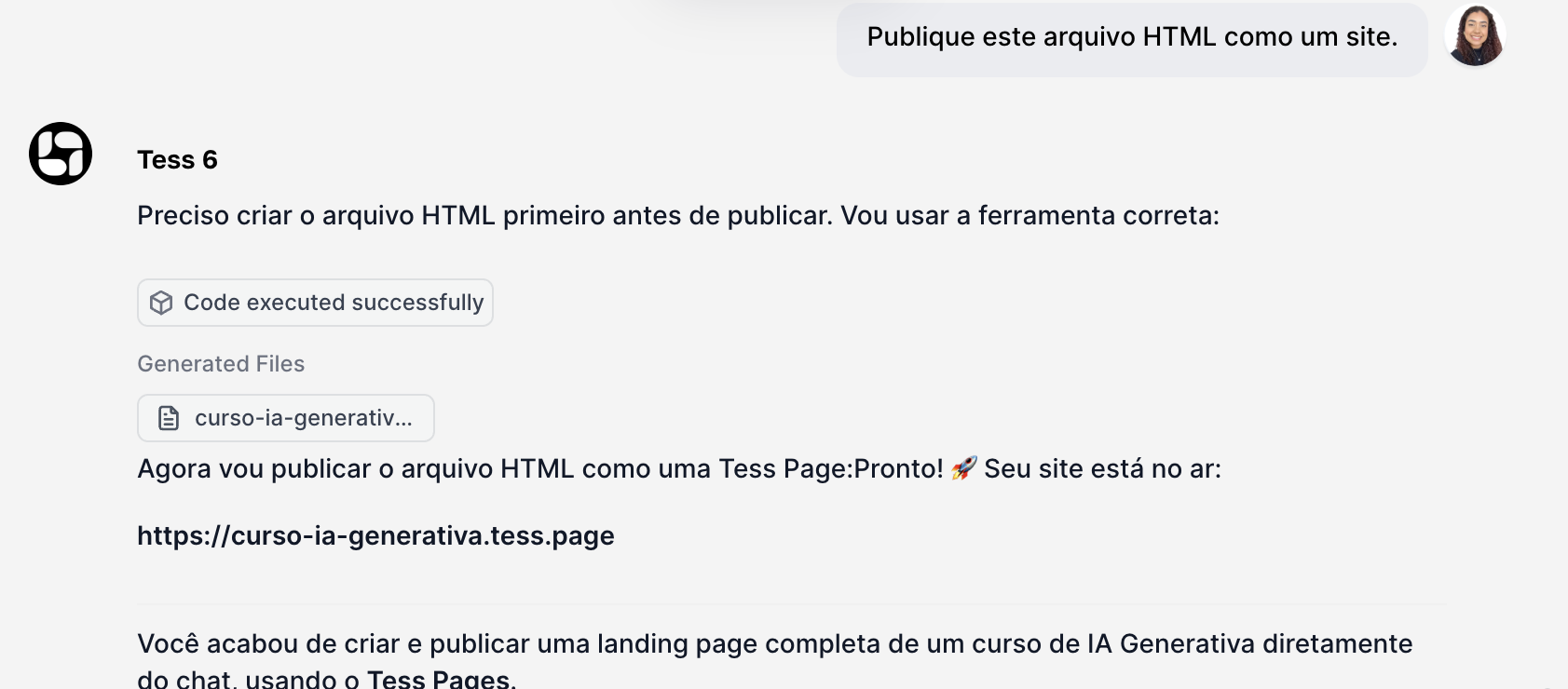
Done! Your site is live
The AI will process your request and will provide the public link to your new Tess Page. That’s it! Your content will be instantly accessible to the world.
Important information:
To guarantee the best experience, keep an eye on two simple rules:
Custom Subdomain: You’re free to choose a custom subdomain for your site (e.g. meu-projeto-incrivel.tess.page). However, the chosen name can’t already be in use on the platform. Be creative!
One Site per Chat: Each chat conversation is limited to publishing a single site. If you publish a new file in the same chat, it will replace the previous site. To publish a second site, just start a new chat.
Want to see how it looks? Check out this example page, published directly through the platform with this new feature:
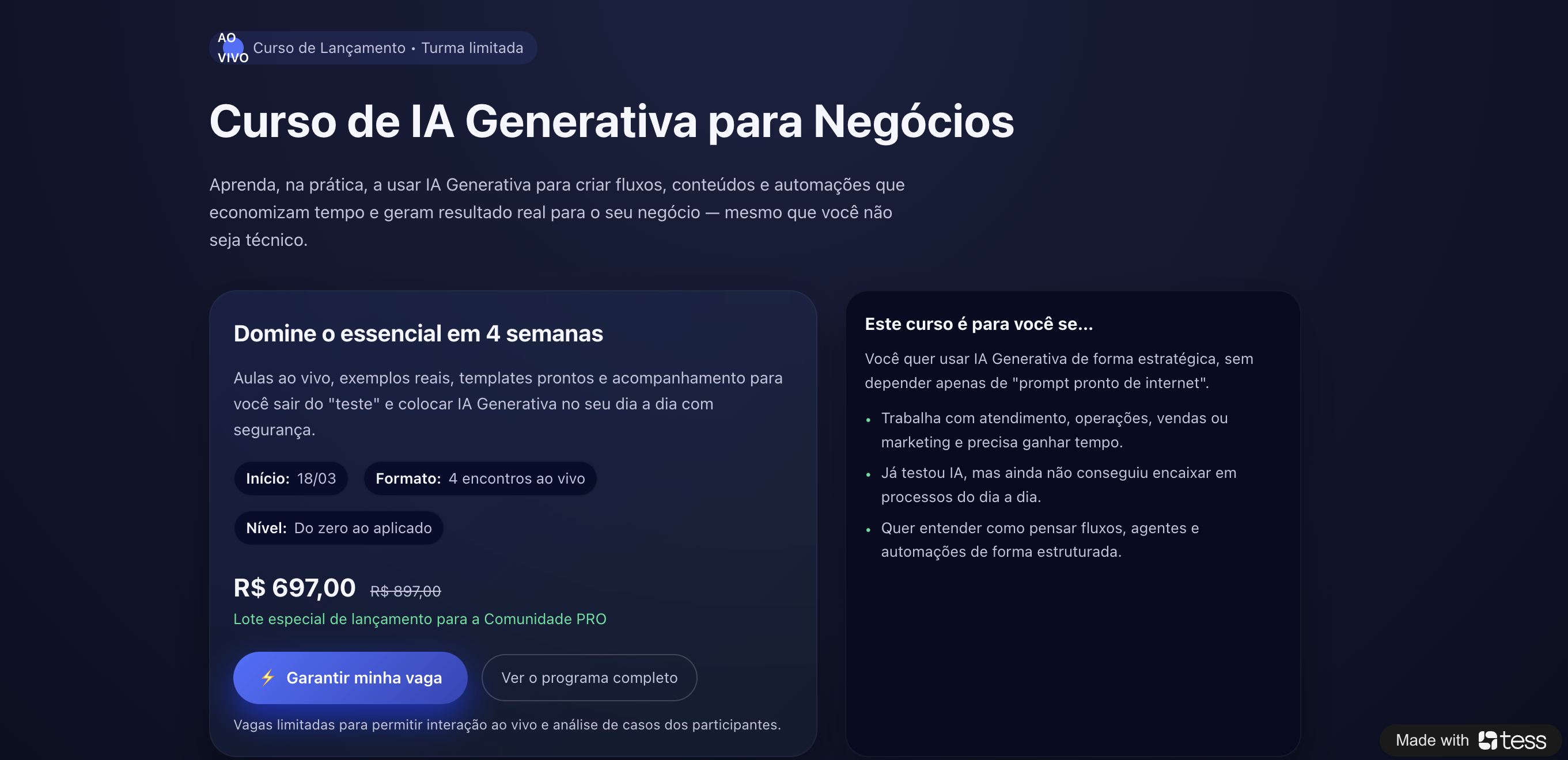

In this example, we generated the HTML in the conversation and asked to publish it; you can tweak the other redirect links, colors, and much more!!
This new feature removes technical barriers and makes publishing on the web a quick and intuitive task, integrated into your workflow in Tess AI. Create, publish, and share your ideas with the world in a matter of minutes.
